Can you register for a BE International membership offline? Yes, you can. While BE International primarily operates through a digital sign-up system, prospective members can complete their registration offline by visiting BE International Head Office at Bukit Jalil, Kuala Lumpur or any BE Business Centres.
This article will share the requirements, registration steps, fees, and official office locations to help you complete your BE International offline member registration seamlessly.
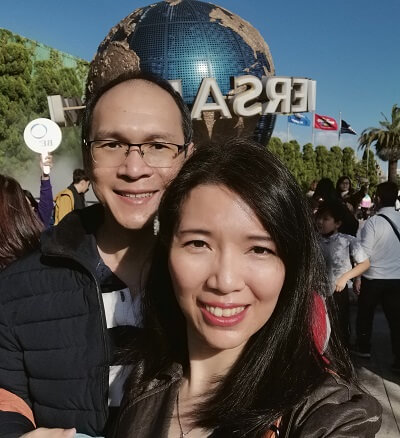
The above is a picture and my husband, Will and I when we visited Hong Kong. Our trip to Hong Kong was fully sponsored by BE International through the BE Lifestyle Travel (BELT) sales campaign. We have been Independent Business Owner (IBO) with BE International since December 2017.
Prerequisites for BE International Offline Registration
Before visiting a BE International HQ or Business Centres, ensure you have completed or prepared the following requirements:
- Sponsor Information: You must have a existing Independent Business Owner IBO as your sponsor. Your sponsor will provide guidance, answers product queries and assists with account setup.
- Electronic Know Your Customer (eKYC) Verification:
- Even for offline registrations, BE International requires an initial identity verification via eKYC for security, compliance, and fast processing.
- You can complete the eKYC step on your smartphone (taking a photo of your NRIC/ID front and back) prior to arriving or with the guidance of your sponsor.
- Valid Identification: Bring your physical NRIC (Identity Card) or Passport.
4 Steps to Register BE International Membership Offline
If you prefer visiting a physical office instead of completing the full online registration yourself, follow these four simple steps:
Step 1: Complete the eKYC Process
Perform the eKYC identity check on your smartphone using the registration link provided by your sponsor.
Step 2: Visit an Official BE International Business Centre
Walk into any official BE International branch in Malaysia, Singapore, Brunei, Hong Kong, or Indonesia. (See full location list below.)
Step 3: Provide Your NRIC / Identification Number
Provide your Identity Card number to the BE customer service representative at the counter. The staff will retrieve your eKYC profile from the system to finalise your registration.
Step 4: Pay the Registration Fee & Receive Confirmation
Pay the standard membership registration fee at the counter. Once processed, you will instantly receive a “Welcome Letter @ NEW REGISTRATION” via your registered email address containing your IBO Member Code and temporary password to access the BE4U web app.
BE International Membership Registration Fees (By Country)
The BE International membership is valid for 1 year from the date of registration. The fee structure across official regional markets is as follows:
| Country | Membership Fee |
| Malaysia | RM 60.00 |
| Singapore | SGD 20.00 |
| Brunei | BND 20.00 |
| Hong Kong | HKD 100.00 |
| Indonesia | IDR 200,000.00 |
Official BE International Business Centre Locations
You can complete your offline registration at any of the following physical branch locations:
1. Malaysia Branches
- Head Office: Bukit Jalil, Kuala Lumpur
- Penang: Georgetown
- Kuala Lumpur: Bandar Menjalara, Kepong
- Perak: Ipoh
- Johor: Bandar Jaya Putra, Johor Bahru
- Sabah: Kota Kinabalu
- Sarawak: Bintulu & Miri
2. International Regional Offices
- Singapore: Tai Seng Centre
- Hong Kong: Mongkok, Kowloon
- Brunei: Bandar Seri Begawan
- Indonesia: Menteng Dalam, Tebet, Jakarta Selatan
That’s all for my sharing in this article.
I hope the article above clarified how you can register a BE International membership via offline.
Note: As a disclaimer, the content above is for educational purposes only.
If you did not find the answer you are looking for, please do your own further due diligence.
If you have questions, you can contact me through:
WhatApps Number: +60176037698
You can also click the link below to message direct me on my WhatsApp and I will assist you.